
Choose a 45–60-day, billing-cycle-aligned announcement plan when contracts and customer type permit. Lead with the effective date and the old-to-new price, segment the outreach, complete billing and support checks, offer a defined retention option, and validate the proposed price with stated-intent research before sending. This approach treats a price increase as a coordinated customer, pricing, and operations decision rather than only an email-writing task.
Start With Notice Timing, Contracts, and Billing Cycles
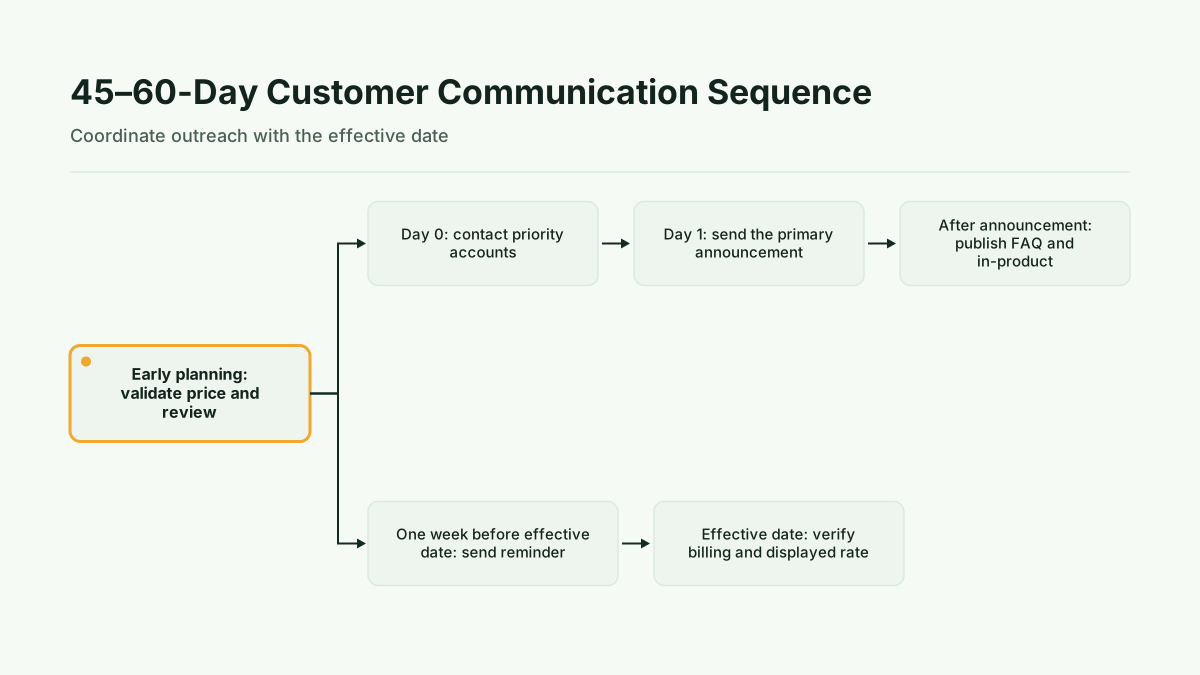
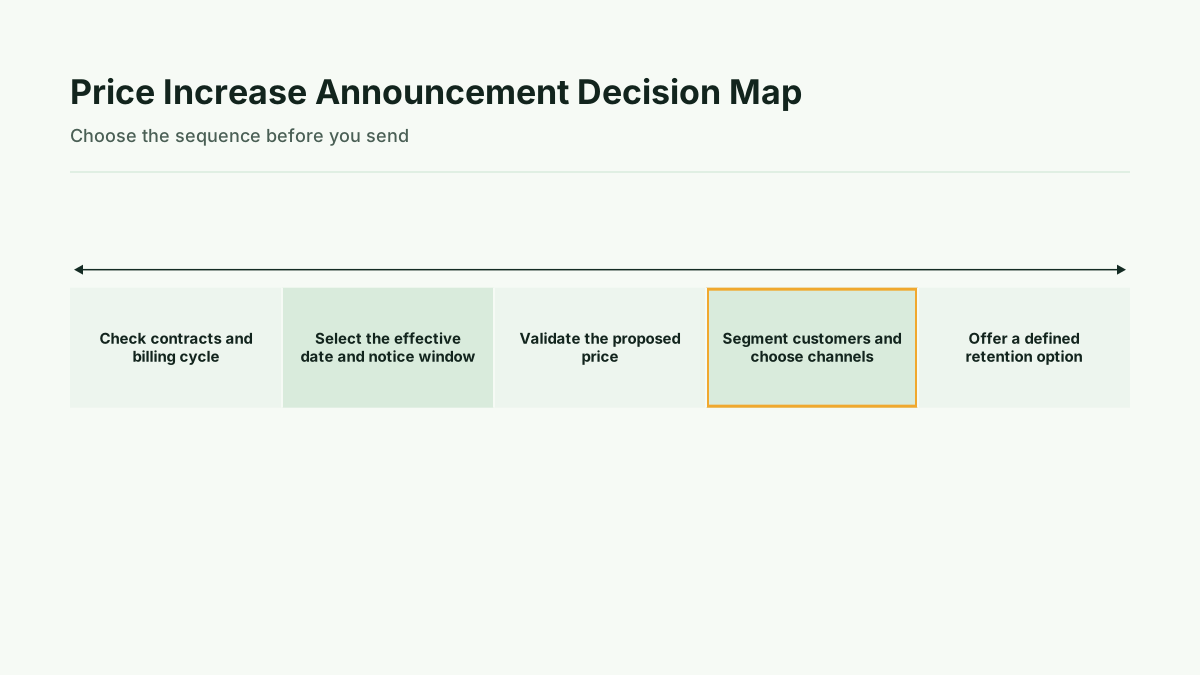
Begin with the constraints that determine whether your preferred schedule is possible. Review contract terms, customer type, annual renewal dates, and billing cycles before selecting the effective date. The recommended planning window is 45–60 days when contracts and customer type permit. Annual, enterprise, or custom-contract customers may require longer notice. Shopify’s price increase guidance is a useful reference for the 30–60 days for most small businesses range, but contract requirements remain the controlling constraint.
Align the effective date with the billing process where possible. The team should know which customers are affected, when the new rate will appear, and what operational changes must be completed before that date. Do not announce a date that billing, invoicing, support, or account teams cannot execute consistently.
The sequence matters. First confirm contractual and billing requirements. Then validate the proposed price far enough ahead to act on the findings. After that, prepare segmented outreach and customer-facing support content. A longer window is preferable when it gives the team time to resolve account-specific questions rather than forcing a rushed announcement.
Build an Announcement That Answers the Core Questions
The first paragraph should answer the customer’s most immediate questions. State the effective date, the old price, the new price, the affected plans, the affected customers, the next steps, and a clear contact path. A side-by-side display of old vs. new pricing can make the change easier to inspect, provided the relevant details remain explicit in the message.
Use direct, plain-language framing. Lead with the change and the date instead of burying the new price beneath contextual language. Customers should not have to infer whether the announcement applies to them or search through several paragraphs to find the amount they will pay.
After the essential facts, explain why the change is being made and remind customers of the value they receive. The rationale is stronger when it connects the increase to customer value and evidence rather than relying only on internal cost changes. HubSpot’s research on price increase communication provides supporting guidance on making the explanation customer-facing and clear.
A practical message structure is:
- What is changing: identify the plan, customer group, old price, and new price.
- When it changes: state the effective date and any relevant billing or renewal context.
- What the customer must do: explain next steps, if any.
- Why it changes: connect the explanation to customer value and evidence.
- What options exist: state any retention option and its deadline.
- Where to ask questions: provide the appropriate contact path.
Use Direct Language and Segment the Outreach
One announcement should not be assumed to fit every customer. Segment the audience using the distinctions that affect the message: customer type, plan, contract status, billing cycle, and account importance. The message can remain consistent on the core price change while the channel and level of personal context vary.
Email can be supplemented with in-product messaging, help-center information, and personal outreach for high-value accounts. AnnounceKit’s best-practice guidance supports using multiple customer-facing channels, while Forrester’s guidance points to personal contact for important accounts. Use the channel map to assign ownership before the announcement is sent.
For a broad customer group, email can carry the full notice and link to the relevant support context. In-product messaging can reinforce the change for customers who use the product regularly. Help-center content gives customers a stable place to review affected plans, dates, options, and answers. Priority accounts may need direct outreach so questions can be handled with the right account context.
Keep the language direct in every channel. Do not make a customer work through inconsistent wording across an email, product message, invoice, and support response. The effective date, affected plan, and price details should remain aligned.
Prepare Billing, Support, and Customer-Facing Systems
Before sending, verify that the operational systems express the announcement accurately. The pre-send checklist should cover billing-system configuration, CRM verification, invoice testing, and support readiness. AnnounceKit’s best-practice guidance identifies these checks as necessary preparation.
Confirm that CRM segmentation matches the customers who will receive the notice. Check that affected plans and contract or renewal information are represented correctly. Configure the billing system for the intended change, then test how the new rate will appear in invoices and customer-facing views. Resolve discrepancies before customers receive the announcement.
Prepare the help-center information and internal support responses at the same time. Support should know the effective date, affected plans, available retention option, contact ownership, and escalation path. Test personalization and audience rules so the message does not show the wrong plan, date, or price to a customer.
This work is not separate from communication quality. A clear announcement can still create confusion if the invoice displays a different amount or support cannot explain which customers are affected. Operational readiness is therefore part of the announcement itself.
Offer Retention Options Without Hiding the Increase
A retention option gives customers an alternative to an immediate move to the new rate, but it should not obscure the increase. The available choices may include grandfathering, annual lock-ins, phased increases, or trade-up incentives. Select the option that fits the customer segment and the operational ability to administer it.
State the option, eligibility, new rate or applicable condition, and deadline plainly. If an option applies only to a particular plan or customer group, say so. The customer should understand both the standard price change and the alternative, rather than mistaking the alternative for the permanent price.
Retention choices also need operational ownership. Billing must be able to apply the selected treatment, CRM records must identify eligible customers, and support must know how to answer questions. If the team cannot administer an option consistently, it should not be presented as part of the announcement.
Method: Validate the Proposed Price Before You Announce It
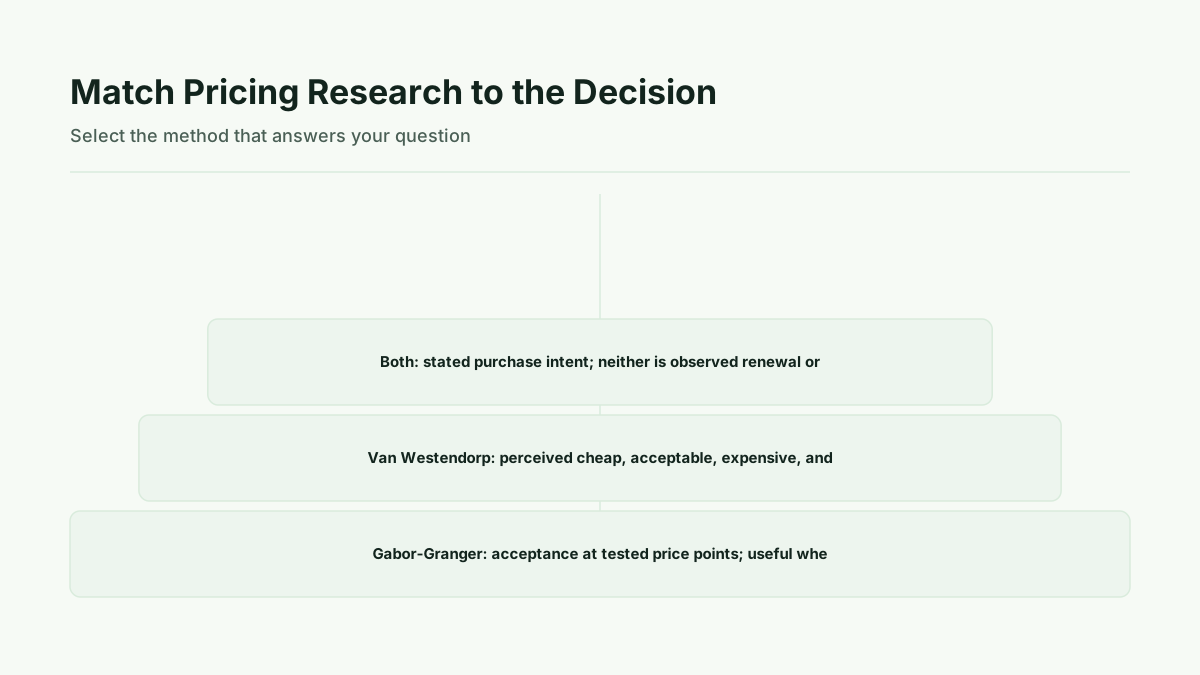
Use pricing research before the announcement when the proposed price is still open to validation. Gabor-Granger can test stated acceptance across tested price points. It is useful when the team is choosing among candidate prices. Van Westendorp can identify a perceived-value price range through thresholds associated with cheap, acceptable, expensive, and too-expensive perceptions. The choice depends on whether the question is candidate price-point acceptance or the range customers perceive as appropriate.
The Gabor-Granger survey explanation and the guidance on finding the right price range describe these methods in more detail. Treat the output as stated purchase intent. The research can inform the proposed price and the explanation prepared for customers, but it is not a record of observed renewals, payments, or cancellations.
Interpretation: Turn Evidence Into a Defensible Customer Explanation
Interpret the research alongside the communication and operations plan. If the proposed price is supported by directional evidence, use that evidence to improve internal confidence and customer-facing rationale. Explain the change through customer value and evidence, not only through internal cost changes.
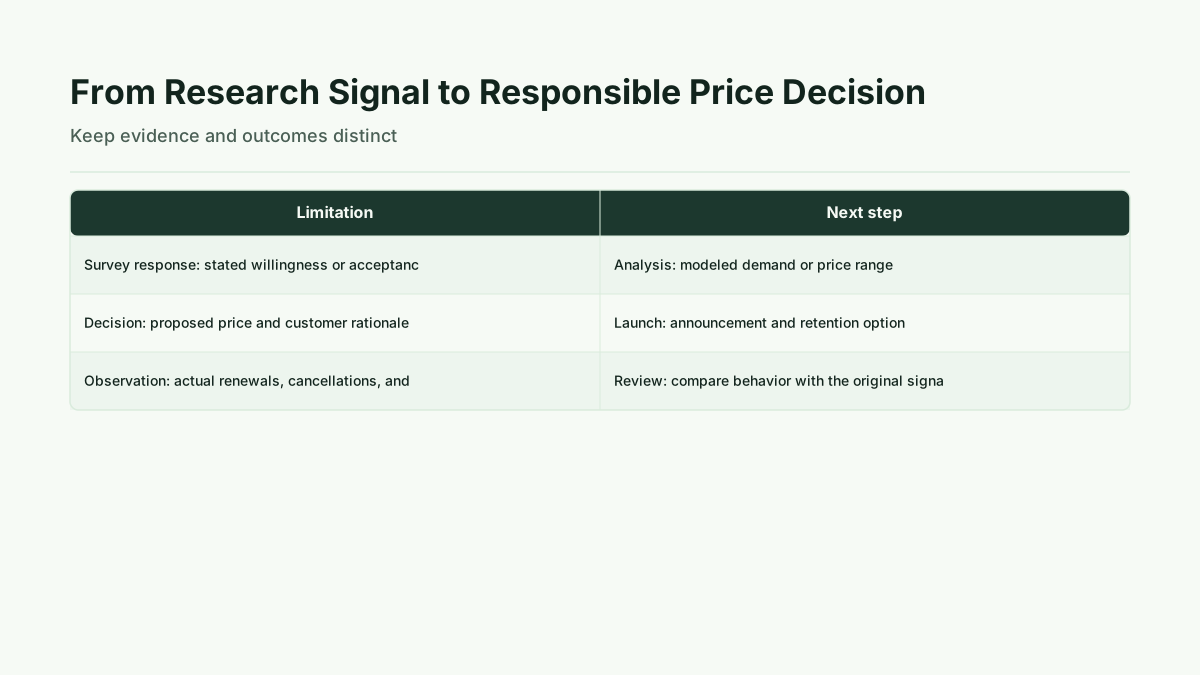
Do not convert a survey response into a promise. Stated acceptance does not guarantee that a customer will continue paying, renew, or avoid cancellation. Likewise, a modeled demand result or price range is not observed behavior. The proper interpretation is narrower: the research provides evidence to help select and explain a proposed price before launch.
Limits: Reduce Execution Risk Without Promising No Churn
The plan reduces avoidable ambiguity and execution risk, but it cannot promise a specific retention outcome. Contract requirements may override the recommended 45–60-day window. Customer segments may respond differently, and annual or custom-contract arrangements can require more planning. Billing and proration complexity can also create discrepancies if configuration and invoice presentation are not tested.
Survey responses have limits because they measure stated purchase intent. They should not be presented as observed renewal, payment, or cancellation behavior. The methods do not identify a universally optimal price. After launch, actual renewals, cancellations, and support responses remain separate observations that must not be blended with the original research signal.
Next step: Run the Pre-Send Sequence
Use this sequence to move from proposal to announcement:
- Validate the proposed price with Gabor-Granger or Van Westendorp, depending on the decision the research must answer.
- Confirm contract requirements, customer segments, billing cycles, and the effective date.
- Prepare the announcement with the old and new prices, affected plans and customers, next steps, rationale, contact path, and retention option.
- Personally contact priority accounts before the primary notice when their segment calls for it.
- Verify CRM segmentation, billing configuration, invoice presentation, personalization, FAQ content, and support ownership.
- Send the primary announcement through the selected channels.
- Publish the help-center and in-product context, then schedule a reminder before the effective date.
- Verify billing and displayed rates on the effective date, keeping observed customer behavior distinct from the earlier research output.
Additional context on these methods is available from HubSpot's research on price increase communication, Mailchimp recommends, AnnounceKit's best-practice guidance, Forrester's guidance, self-serve pricing research tools, Hidden software costs, How To Write a Price Increase Letter: Two Practical Templates (2026) - Shopify, How to let customers know about a price increase (without losing them), according to pros - HubSpot, Price increase letter advice and templates - Mailchimp, How To Announce Price Increases Or Price Decreases: Best Practices - AnnounceKit and What's the Best Way to Announce a Price Increase? - Forrester.
Run this method with your users
Start 30-day free trial to run every method with your users, or Buy one study when one decision needs evidence now.
Sources
Shopify, How To Write a Price Increase Letter: Two Practical Templates
HubSpot, How to let customers know about a price increase
AnnounceKit, How To Announce Price Increases Or Price Decreases: Best Practices
Forrester, What’s the Best Way to Announce a Price Increase?
Kinetic Pricing, Test SaaS Price Points with Gabor-Granger
Kinetic Pricing, Find the Right Price Range for a SaaS Product